






Run your whole fleet from one screen.

Fleet management software for taxi and rideshare fleets. You manage everything on the web. Your drivers use the Rovora app.

Start my 30-day trial

See Rovora in action

Rovora product walkthroughTry it with your fleet

30 days free No card required

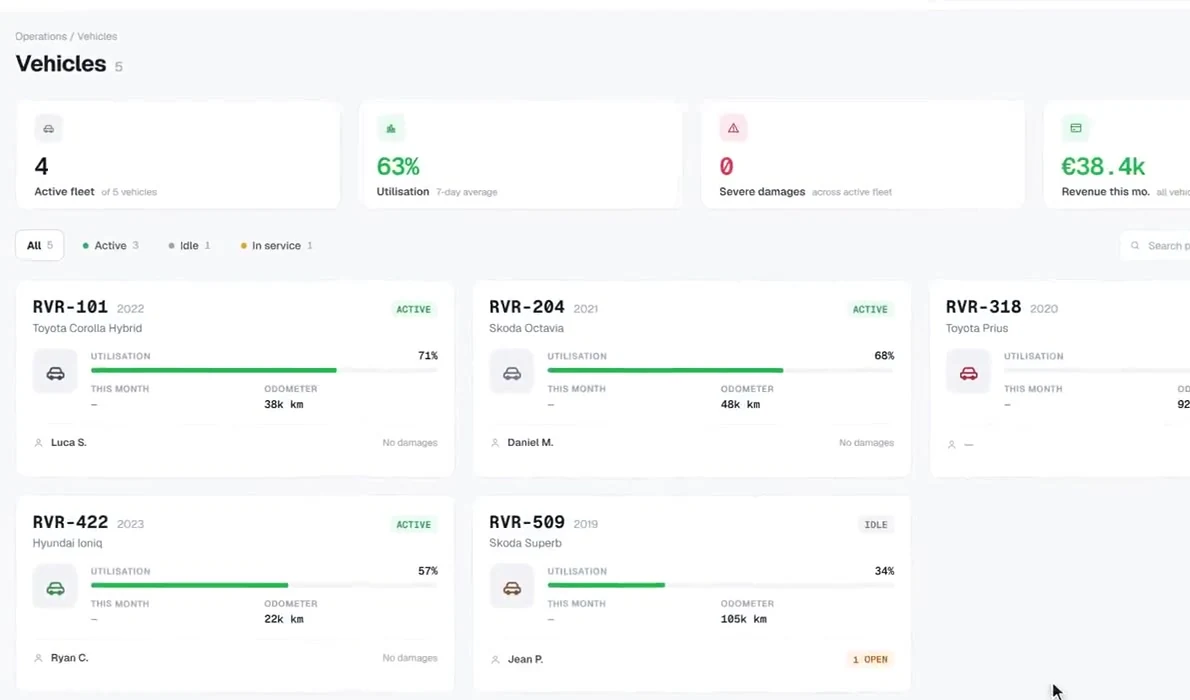
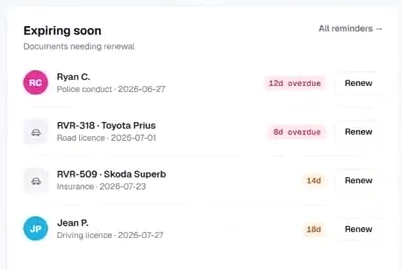
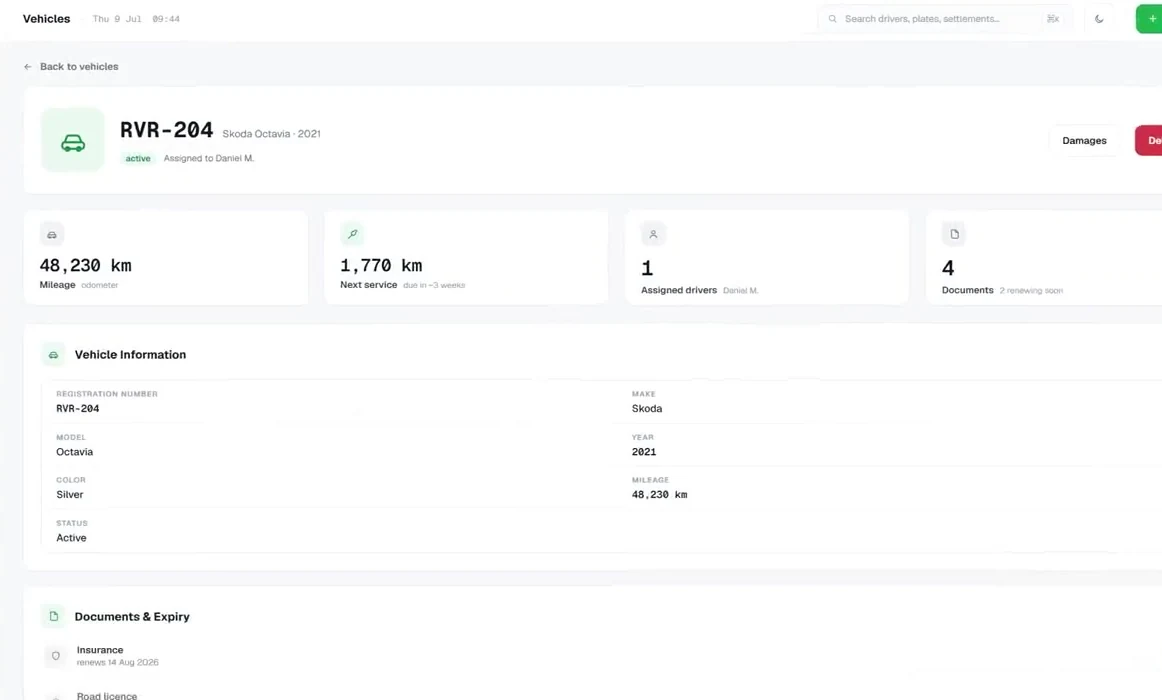
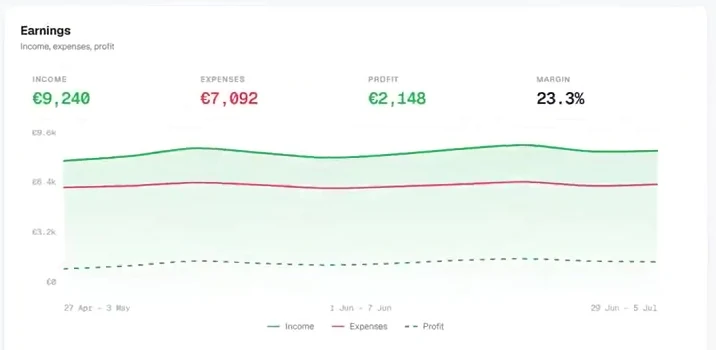
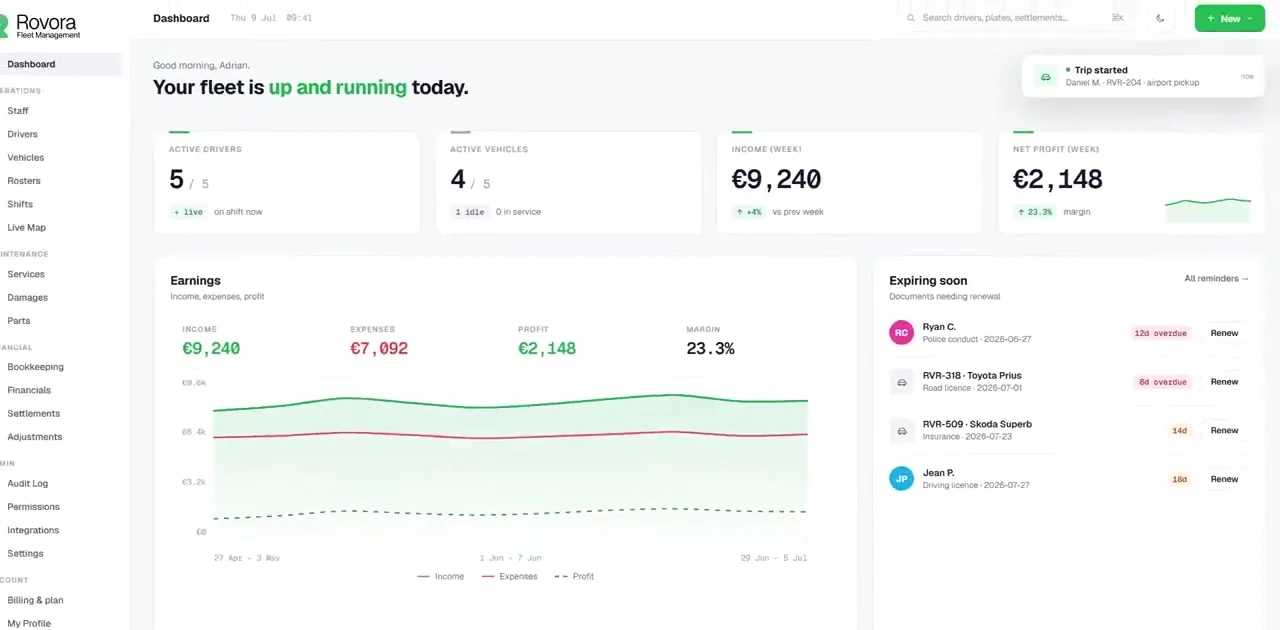
Rovora web dashboard from the demo account: 5 active drivers, 4 active vehicles, €9,240 weekly income, €2,148 net profit, an earnings chart and documents expiring soon
The manager dashboard, from the Rovora demo account.

Built to work with the tools you already run.

  • Wialon
  • Traccar
  • flespi
  • Teltonika
  • Navixy
  • Samsara
  • Geotab
  • Mapon
  • Bolt
  • Xero
  • QuickBooks
  • Google
One platform, two sides

A dashboard for you.
An app for your drivers.

Owners and managers run the fleet from the Rovora website. Drivers download the Rovora app to keep track of their own work.

For owners & managers

The Rovora dashboard

On the website. Nothing to install.

  • Manage vehicles, drivers and their documents
  • Plan rosters and assign shifts
  • Work out weekly driver pay
  • Get reminders before anything expires
  • See income, costs and profit in one place
For drivers

The Rovora driver app

Download required. Your manager invites you, then you sign in on your phone.

  • See your shifts and assigned vehicle
  • Track your weekly earnings and tips
  • Get your pay statements as PDFs
  • Know when your licence or permits need renewing

iPhone app coming soon. Until then, iPhone drivers use Rovora in Safari.

The Everyday Toolkit.

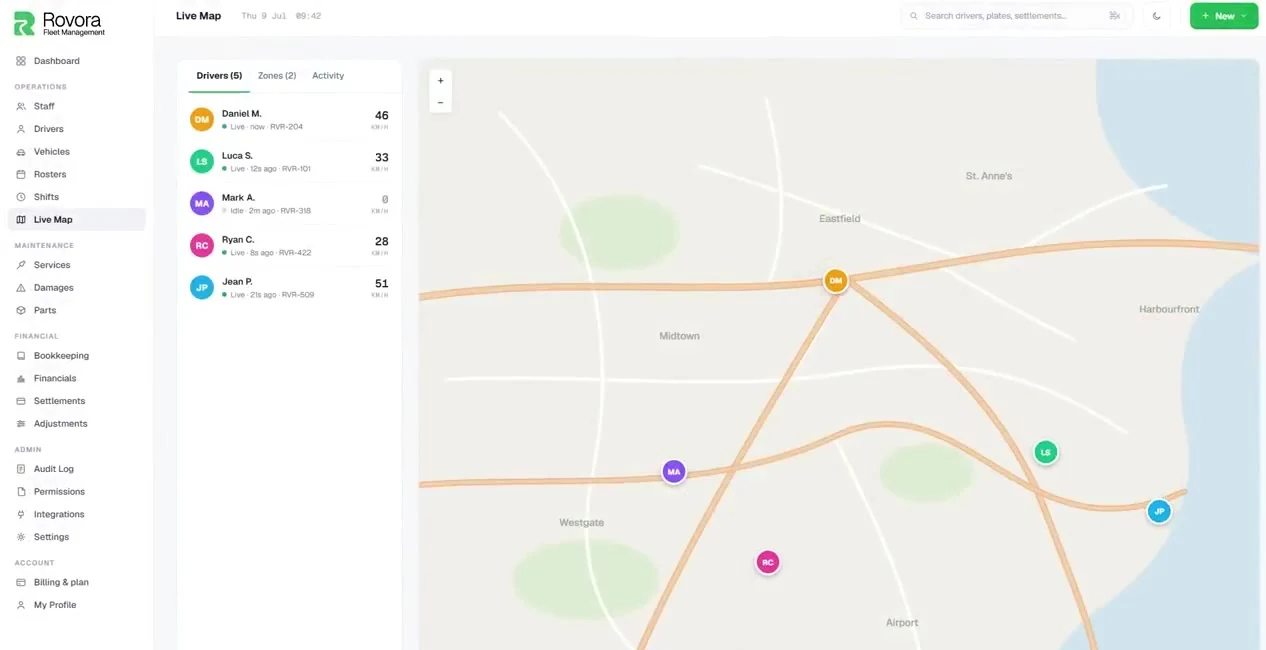
Screens from the Rovora demo account, with sample data. Pick a tool to see it.

Driver pay, calculated every week.

Rides, platform fees, tips and the agreed split are worked out per driver. You review and approve each payout.

See how settlements work

A fleet manager’s experience with Rovora

Fleet notes
“Now it’s fully automated every week, straight from the dashboard.”
The fleet
9vehicles
MaltaSee how it works
Your fleet, connected

Everything integrated
into one app.

Bring rosters, tracking, driver pay and fleet records together. Keep the connections you need.

An illustration of connected workflows. Live connections and file exports vary by tool.

Up and running in 3 steps.

  1. Step 1

    Add your fleet

    Add your vehicles and their documents on the website.

  2. Step 2

    Invite your drivers

    Send each driver an invite. They download the Rovora app and sign in.

  3. Step 3

    Plan your first week

    Build the roster. Drivers see their shifts in the app straight away.

Need a hand? Fleet includes guided onboarding and assisted data import.

Room to grow

Clear pricing for
the fleet you run.

Start with the plan that fits your working day.

Starter

For the owner getting the basics in order.

€9/ month

3 vehicles included

  • Vehicles, drivers & shifts
  • Weekly rosters
  • Basic live GPS map
Service and damage loggingStart free trial

Fleet

For larger fleets that want a guided start.

€99/ month

30 vehicles included

  • Everything in Pro
  • Guided onboarding
  • Assisted data import
Additional vehicles availableStart free trial
Base monthly prices exclude VAT. Extra vehicles cost more.Compare plans and calculate your price

Enterprise

More than 75 vehicles? Let’s talk about your fleet.

Contact our sales team

A few things before you start.

What happens after the free trial?

The current offer gives you 30 days to try Rovora without entering a card. Choose a paid plan if you want to continue. Nothing is charged when the trial ends.

Can I bring my existing fleet records?

Yes. Add your vehicles and drivers yourself, or use the assisted data import included with Fleet. Contact the team about your current records before moving over.

How do drivers get the app?

You invite each driver from your dashboard. Android drivers download the Rovora app from Google Play and sign in. iPhone drivers sign in at rovora.eu in Safari for now; a native iPhone app is on the roadmap. Managers never need the app: the dashboard runs in any browser.

Are all integrations live connections?

No. Supported services such as Bolt and Traccar connect directly. Xero and QuickBooks use CSV exports that you import into those tools. See the integrations page for the exact capabilities.

Make next week easier to run.

Your vehicles, your people, your working day. Together.

No card required